
iOverlander
Contains adsIn-app purchases

star
9,69K reviews

Teen
info
500K+
Downloads


About this app
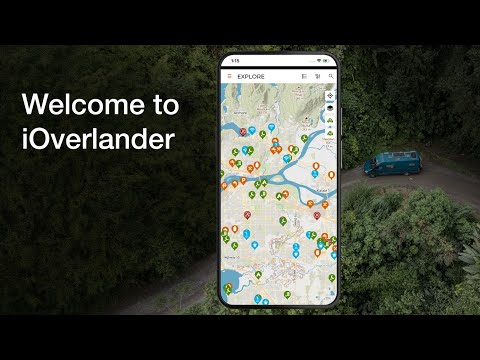
iOverlander is a mapping app to help travelers find camping and accommodation worldwide.
Only real places by real travelers.
Unbiased and never sponsored. There is no list or robot that can ever replace what a traveler says standing right there in that spot. Typos and all, we believe the best data comes from overlanders onsite.
No signal? No problem.
The best places on this planet don’t have cell signal. All our data is stored on your phone, so you can plan your day without wifi. Download offline maps of entire states and countries, that give you all the tiny alleys, building footprints, and small landmarks to make travel easier.
Campsites are just the beginning.
Mechanics, restaurants, hotels, propane, water, wifi, shopping, laundry, showers, doctors, tourist attractions, border crossings, warnings, checkpoints, insurance, storage, shipping, consulates, banks, and more.
Moderated by overlanders, not AI.
Our moderators have spent a collective century on the road and 30,000 hours moderating entries. They’re not planning to stop anytime soon.
But wait, there's more!
In addition to finding places, you can add new ones, leave reviews, save favorites, and share places with other travelers. Subscribe to iOverlander Pro or Unlimited to download offline maps, access satellite maps, BLM and USFS overlays, save filters, search and more!
Wherever you're headed, we've got your next destination.
Find camping anywhere in the world, no matter how remote your destination
Updated on
Safety starts with understanding how developers collect and share your data. Data privacy and security practices may vary based on your use, region and age. The developer provided this information and may update it over time.


Ratings and reviews
9,37K reviews

Michael Thisain't
- Flag inappropriate
- Show review history
12 November 2026
Got a new Samsung A16 and the app loops asking me to turn on location accuracy (bluetooth & wi-fi scanning). This is insecure, unnecessary and gets used to spy on us. If I decline the unnecessary permission, it just asks again in a loop and the app is unusable. I am canceling now. I don't believe the app needs location accuracy to work (the app is built and works offline, duh). You're forcing the surveillance infrastructure regardless of any TOS (I don't speak legalease anyway).
2 people found this review helpful
iOverlander LLC
12 November 2026
Thanks for your feedback. The app needs precise location to work, which is why Android asks for Wi-Fi and Bluetooth scanning. We use your location only to show nearby places and don't store it, as our privacy policy states. Questions? support@ioverlander.com

Kirk Lang
- Flag inappropriate
- Show review history
16 November 2026
This app is horrible as it is constantly putting up full screen ads without any way to close them without exiting the app. Sometimes I can find the information I am looking for before the ad pops up, but most of the time I cannot.

Jack Price
- Flag inappropriate
07 November 2026
full of bugs lately its annoying to use. when you click on a place sometimes nothing pops up to take you there, sometimes ads pop up with no way to exit out of them. have to constantly close the app and restart it. also the whole gps enabled push is ridiculous. if im searching for places far away I dont want gps enabled but it constantly will ask you too. the original app was so much better.
1 person found this review helpful
iOverlander LLC
12 November 2026
Thanks for your feedback. The app needs location access to work, which is why it keeps asking. Places not opening when you tap them doesn't sound right though. Please reach out at support@ioverlander.com and we'll take a look. There is a new version of the app available in Play Store too.
What's new
- Show garage vehicles on users' public profile
- Rename Vehicle Access amenity option "no" to "no big rigs" for better understanding
- Fix error when submitting a screenshot in Contact Support form
- Rename Vehicle Access amenity option "no" to "no big rigs" for better understanding
- Fix error when submitting a screenshot in Contact Support form
App support
About the developer
IOVERLANDER, LLC
support@ioverlander.com
4152 Meridian St 105-523
Bellingham, WA 98226-5598
United States
+1 360-207-2456


